




Description
Download WiseFax – send fax online, fax from phone, online fax service, no subscription fax, fax app for Android
Overview
WiseFax is a mobile application designed to simplify the process of sending faxes online without the constraints of traditional fax machines or recurring subscription fees. The app enables users to transmit documents from smartphones and tablets via an internet connection, eliminating the need for physical fax hardware. This makes it particularly useful for individuals and small businesses that require occasional faxing but do not want to commit to long-term contracts or high monthly costs. The app is ideal for professionals in legal, medical, real estate, and administrative fields who need to send signed contracts, forms, or official correspondence securely and efficiently.
Target users include remote workers, freelancers, small business owners, and anyone managing documents on the go. By leveraging cloud-based infrastructure, WiseFax streamlines document delivery while maintaining compatibility with standard fax protocols. The app supports multiple file formats, ensuring that users can send documents created in Microsoft Office, PDFs, or scanned images without conversion hassles. This functionality enhances productivity by reducing delays caused by outdated fax systems. Although the developer did not provide additional technical details about the backend or data encryption, the app’s focus on simplicity and accessibility positions it as a practical utility within the modern mobile productivity ecosystem.
Key Features & Functionality
- Pay-as-you-go model: Users are charged only for the faxes they send, with no monthly or annual fees. This makes the app cost-effective for low-volume users who do not want subscription commitments.
- Multi-format document support: The app accepts various file types, including PDFs, Microsoft Word and Excel files, JPEGs, and PNGs. This ensures broad compatibility with documents created across different platforms and devices.
- Advanced document scanning: Using edge detection and image enhancement algorithms, WiseFax improves the clarity of scanned documents. This feature is especially helpful when digitizing paper records, receipts, or handwritten notes for fax transmission.
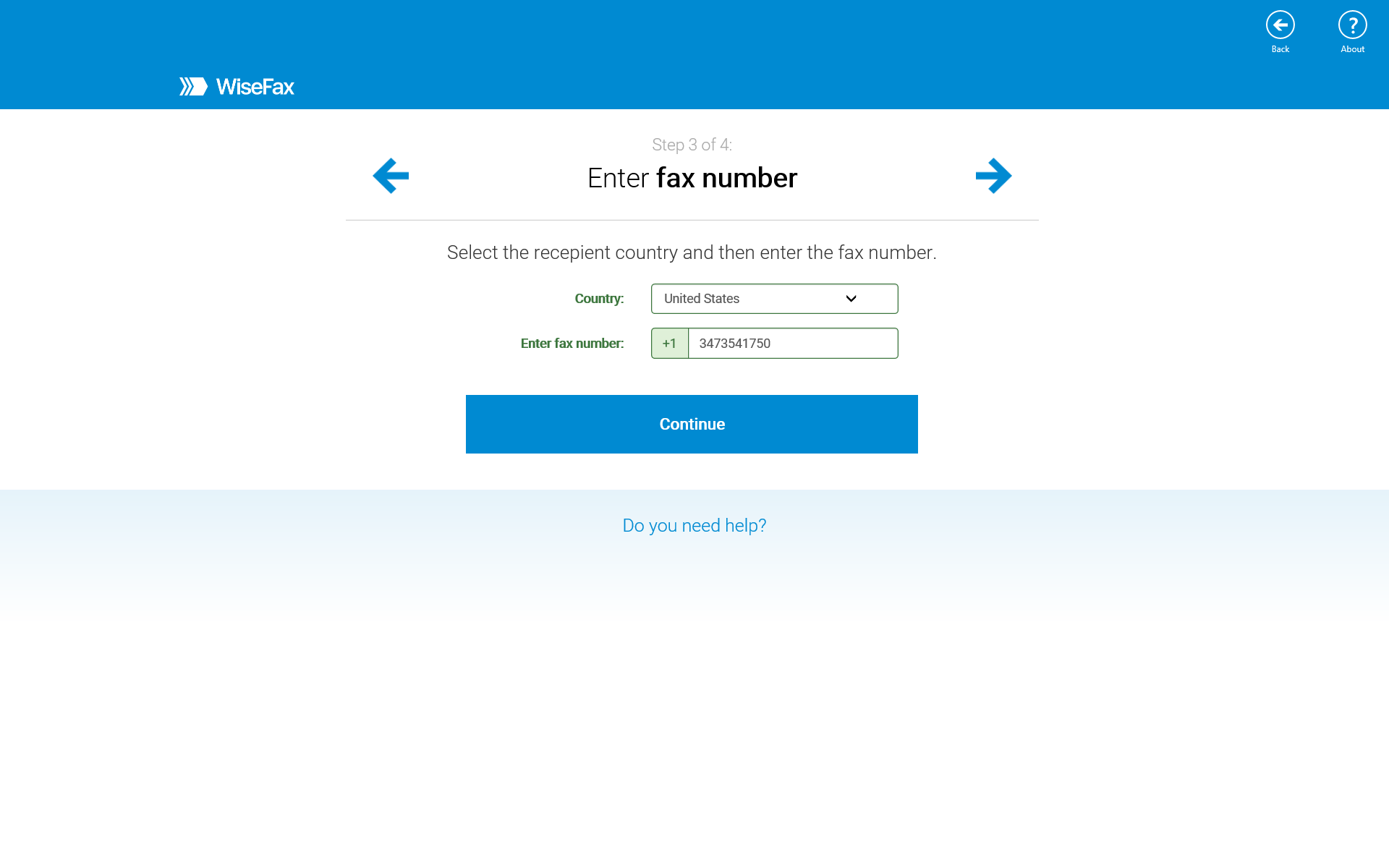
- Four-step fax process: The interface guides users through selecting a file, entering a recipient number, reviewing the document preview, and confirming the send. This structured flow enhances usability and reduces user error.
- Instant email notifications: After sending a fax, users receive immediate confirmation emails with delivery status and a digital copy of the transmitted document for archiving and compliance purposes.
For example, a real estate agent can scan a signed lease agreement using their phone’s camera, upload it via WiseFax, and instantly send it to a landlord, receiving a confirmation email that verifies successful delivery. Similarly, a medical professional can securely transmit patient forms to a specialist without needing a physical fax machine. These real-world applications demonstrate how the app bridges the gap between traditional faxing and modern digital workflows.
Interface, UX & Performance
The user interface of WiseFax is designed with simplicity and clarity in mind. The layout is clean, with intuitive navigation that prioritizes essential actions—uploading a file, entering a fax number, previewing content, and sending. The app uses minimalistic icons and straightforward labels, reducing cognitive load and enabling users of all technical levels to operate it effectively. The four-step process is logically sequenced, with clear visual cues indicating progress and allowing users to backtrack if needed.
Navigation is consistent across screens, and the preview function enables users to verify document orientation, text clarity, and completeness before transmission. Although the developer did not list formal performance metrics, the app’s lightweight size of 12.4 MB suggests optimized resource usage. Users can expect smooth operation on mid-range Android devices, with responsive interactions and quick load times for file uploads and confirmation messages. Stability appears reliable based on its long-standing presence since 2018, though no official reports on crash rates or background performance were provided. The app maintains a steady connection during transmission, ensuring that documents are sent without interruption.
Platform Compatibility & Technical Requirements
WiseFax is available exclusively on the Android platform. The current version is 2.1.0, with a file size of 12.4 MB, indicating a lightweight installation that conserves storage space on mobile devices. The app is free to download and use, with no in-app purchases or subscription tiers required. While the developer did not specify minimum OS requirements or hardware specifications, the app’s compact size and efficient design suggest compatibility with a wide range of Android devices released in the past several years.
Although the developer did not list formal performance metrics or compatibility details, the app’s continued availability and functionality suggest it functions reliably on standard Android configurations. Users are advised to ensure their device has a stable internet connection and sufficient storage space for temporary file processing. The absence of detailed technical disclosures does not detract from the app’s usability, as its core functionality remains accessible and functional across diverse Android environments.
Pros and Cons
Pros
- Free to download and use with no subscription fees
- Supports multiple document formats including PDF, Office files, and images
- Advanced scanning algorithms improve document quality
- Simple four-step process enhances ease of use
- Instant email notifications for fax status and digital copies
Cons
- Platform limited to Android; no iOS version available
- Developer did not provide detailed technical requirements or OS compatibility
- No in-app history or document archive within the app interface
- Relies on internet connectivity for all operations
- Limited information on data privacy and encryption practices
FAQ
Is WiseFax safe to use?
The app uses secure transmission protocols to send documents over the internet. However, specific details about data encryption and privacy policies were not disclosed by the developer.
Can I send faxes from my Android phone?
Yes, WiseFax is designed specifically for Android devices and allows users to send faxes directly from their smartphones or tablets using an internet connection.
Is there a free version of WiseFax?
Yes, the app is completely free to download and use. It operates on a pay-per-fax model, so users only pay for the faxes they send.
Does WiseFax work without Wi-Fi?
Yes, the app can function on mobile data networks as long as there is a stable internet connection. However, data usage may apply depending on the size of the documents being sent.
How do I get fax delivery confirmation?
After sending a fax, users receive an instant email notification with the status of the transmission and a digital copy of the sent document for record-keeping.
Final Thoughts
WiseFax stands out as a practical, no-frills solution for anyone needing to send faxes online without the burden of subscriptions or complex setups. Its focus on simplicity, affordability, and cross-format compatibility makes it a valuable tool for professionals who rely on fax communication but prefer modern, mobile-first workflows. The app’s lightweight design, intuitive interface, and reliable delivery system contribute to a seamless user experience. While it lacks support for iOS and offers limited technical transparency, its core functionality remains effective and accessible. For Android users seeking a secure, cost-efficient way to send faxes from their phones, WiseFax delivers real value. Download WiseFax now.
Guides & Tutorials for WiseFax
How to install WiseFax
- Click the Preview / Download button above.
- Once redirected, accept the terms and click Install.
- Wait for the WiseFax download to finish on your device.
How to use WiseFax
This software is primarily used for its core features described above. Open the app after installation to explore its capabilities.
User Reviews for WiseFax 0
No reviews found


